Show the Difference Your Work Makes
Before & After Videos and Collages
Turn two photos into a slider video or a side-by-side collage. Faces, bodies and rooms line up automatically, the camera helps you match every shot, and each client's progress stays in one place.
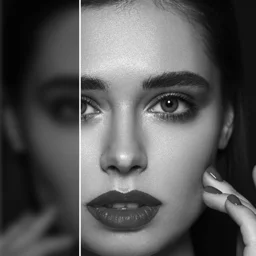
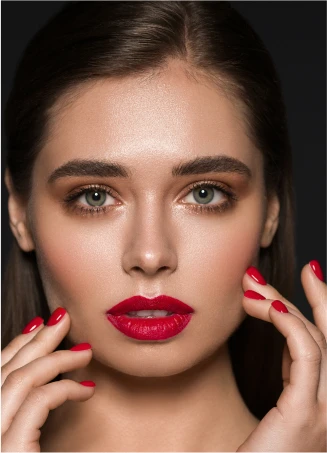
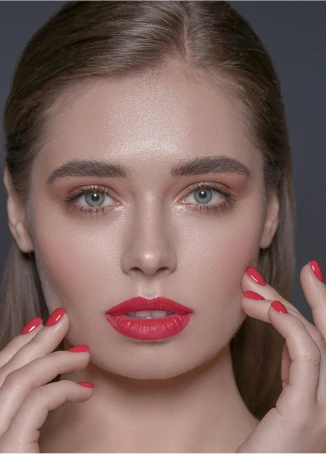
From Two Photos to a Post in 3 Steps
No editing experience needed. The app does the lining up; you choose how to show it.
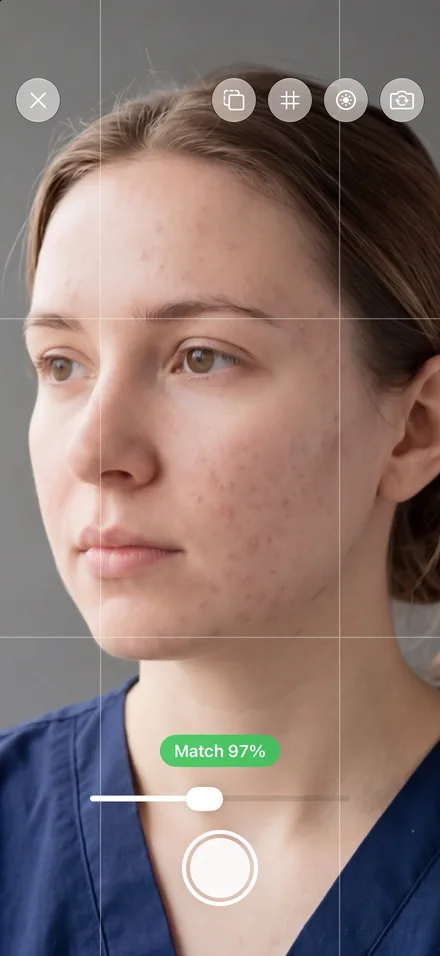
Pick or Take Two Photos
Choose them from your library or files, or take the after photo with the camera: the before photo shows as a ghost so the angle matches.
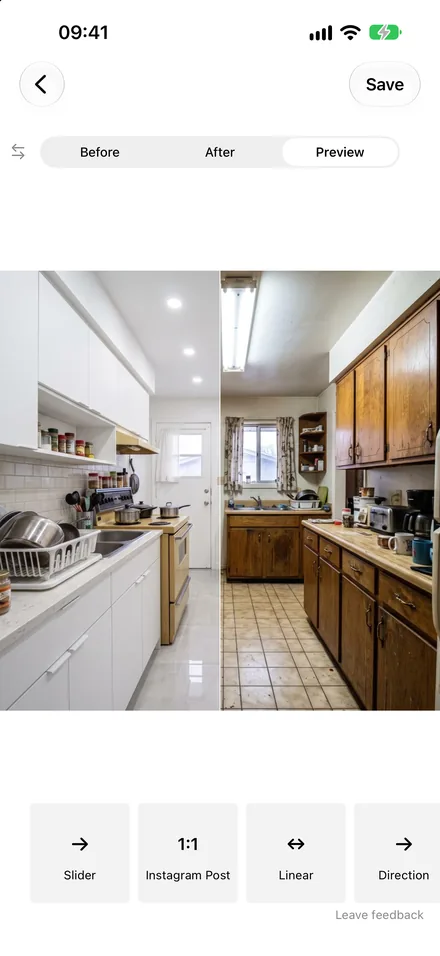
Aligned Automatically
Faces, full bodies and rooms are lined up for you. Drag, pinch, rotate or straighten to fine-tune.
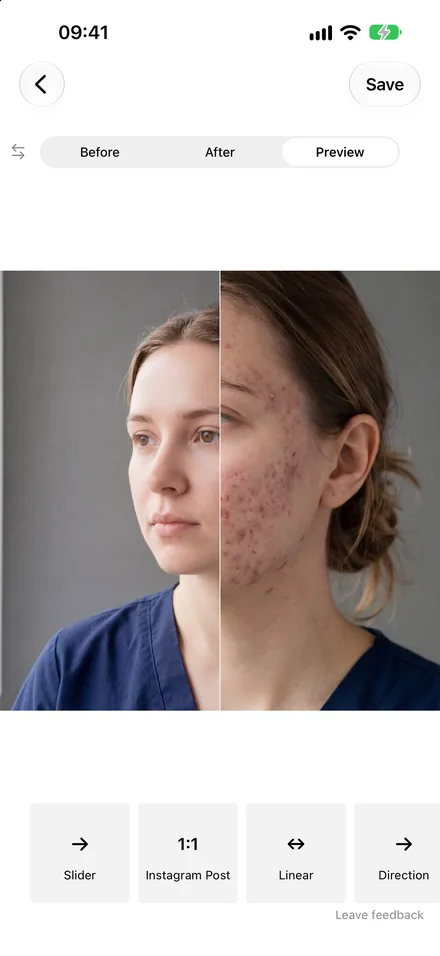
Save a Video, a Collage or Both
A smooth 60fps slider video, a side-by-side photo, or every format in one go — ready for Instagram, TikTok or your website.
Made for Working With Clients
Before/After grew from a slider maker into a tool for everyone who shows results: collages, client history, pose alignment and branding.
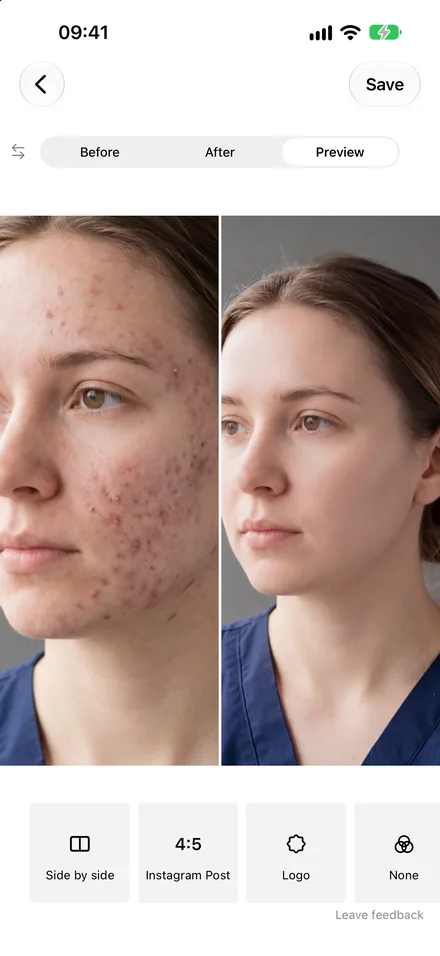
Side-by-Side Collages
Not every post needs to move. Save a side-by-side or top-and-bottom photo for your portfolio, website or a printed card — from the same project as your video.
See it on the App Store →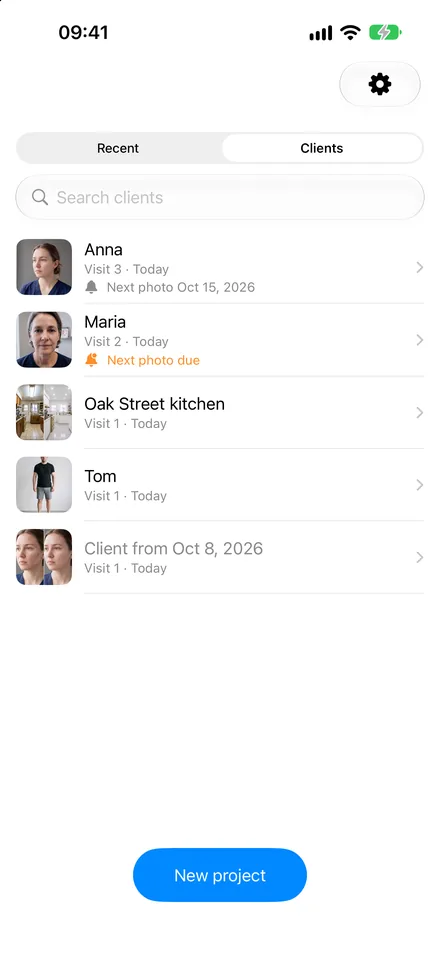
Every Client's Progress in One Place
Name a project after your client and each new visit is added to them. Search your clients, see who's due for the next photo, and get a reminder when it's time.
See it on the App Store →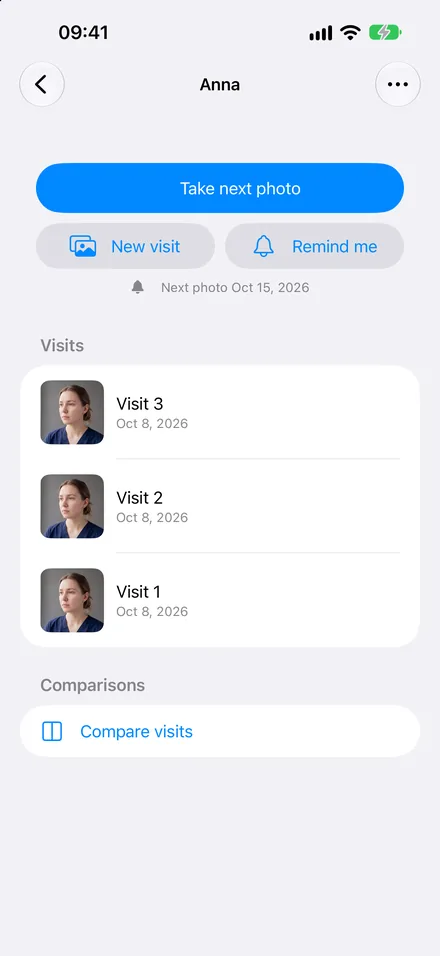
Compare Any Two Visits
Pick the first visit and the latest one — or any two — and turn them into a new before and after in one tap.
Full-Body Photos, Aligned by Pose
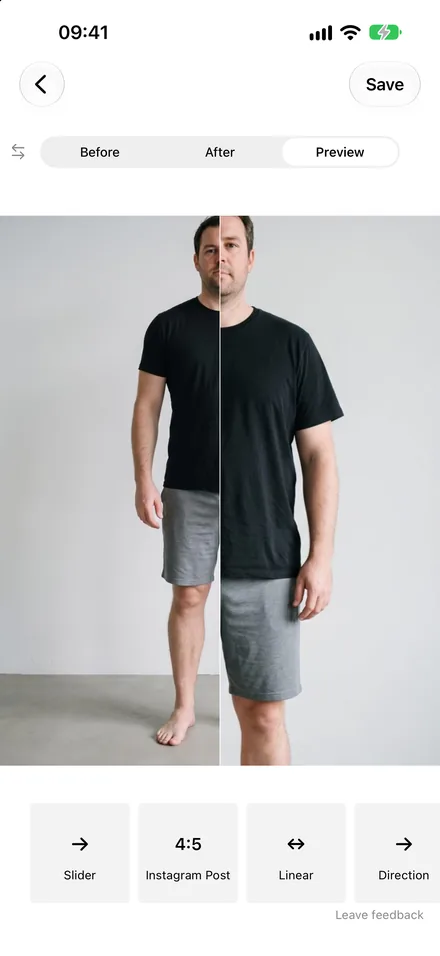
Fitness and body-contouring results line up by the body itself, including tilt and perspective, so the change is the only thing that moves.
Straighten and Fix the Perspective
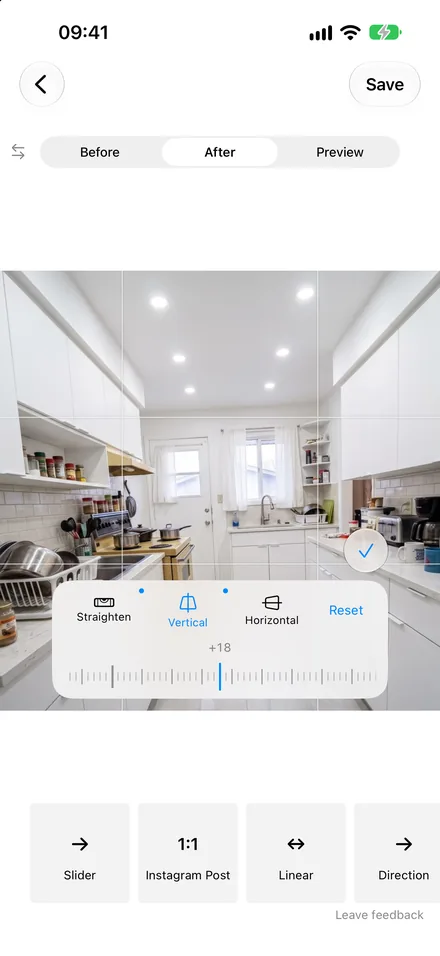
Level a crooked shot and correct vertical or horizontal perspective — made for rooms, facades and anything shot at an angle.
See it on the App Store →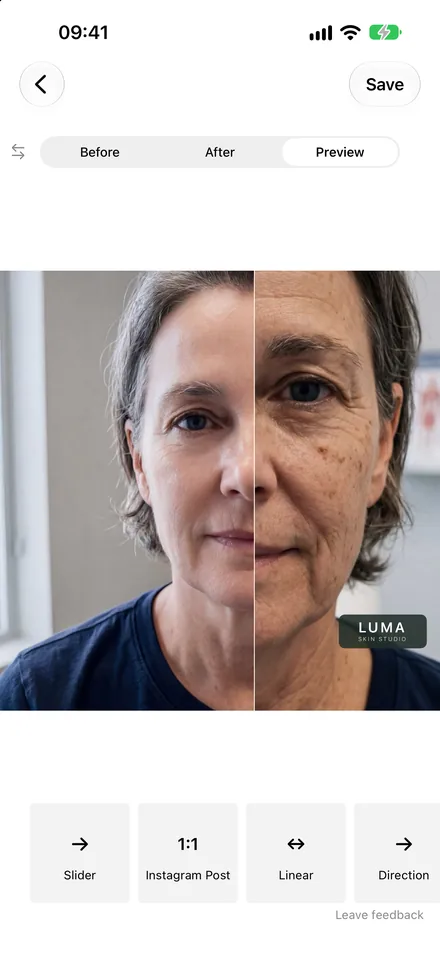
Your Logo on Every Video
Add your logo and your own Before and After labels, so every post that gets shared still points back to you.
See the Slider in Action
Watch the smooth animated slider sweep between your photos — this is exactly what your exported video looks like.
This is exactly how your exported video looks
Built for Professionals Who Show Results
Whether you transform faces, smiles, bodies or spaces — show your clients the difference.
Hair Stylists & Beauty Professionals
A before-and-after video shows the real transformation — the colour correction, the blending, the precision. Hair colouring, extensions, lash lifts, makeup: the app lines up the two photos by the face, so the result is the only thing that changes. Keep every client's visits together and post the best ones as a Reel with your logo.
Get Before/AfterNail Artists & Lash Technicians
Close-ups need a steady match. Take the after photo with the camera's ghost overlay to repeat the same angle, then save a slider for Reels and a side-by-side photo for your booking page.
Get Before/AfterSkincare & Aesthetic Clinics
Acne treatment, peels, microneedling, laser, injectables — patients need to see the improvement. Track each patient's visits, compare the first and the latest, get reminded when the next photo is due, and hide the eyes when you share. Photos stay on your iPhone.
Get Before/AfterDentists & Orthodontists
Veneers, whitening, aligners — patients want proof before they book. Line up smile photos automatically and turn a treatment's first and last visit into a smooth comparison for your practice's Instagram.
Get Before/AfterFitness Trainers & Coaches
Full-body progress photos are aligned by pose, including tilt and perspective, so weeks of work show clearly. Keep each client's check-ins together and compare any two.
Get Before/AfterRenovation, Cleaning & Detailing
Kitchen remodels, bathrooms, pressure washing, car detailing, landscaping. Rooms are matched automatically, the camera ghost helps you shoot from the same spot, and straighten and perspective tools fix angled shots. Save a slider for social and a side-by-side for quotes and your website.
Get Before/AfterPhoto Retouchers & Editors
An animated slider reveals every detail of your editing — skin, colour grading, cleanup — and a side-by-side photo works for portfolios and client proofs.
Get Before/AfterEverything You Need, Nothing You Don't
Focused on one job: showing a result clearly. Professional output in seconds.
Slider & Crossfade Videos
A divider sweeps across the photo — horizontal, vertical or diagonal — or the photos blend. Adjustable speed and easing, 60fps.
Side-by-Side Collages
Save a side-by-side or top-and-bottom photo, alone or alongside the video.
Automatic Alignment
Close-ups by the eyes, full bodies by the pose, rooms by their features.
Camera With a Ghost
The before photo shows over the camera with a grid and a match meter.
Clients & Visits
Every client's photos together, compare any two visits, reminders for the next photo.
Straighten & Perspective
Rotate, zoom out, and fix vertical or horizontal perspective.
Your Logo & Labels
Your logo and your own Before/After labels on every video and photo.
Every Format in One Tap
1:1, 4:5 and 9:16. After saving, save the other formats with one tap each.
60+ Filters, Private by Design
Six curated filter collections. Hide the eyes when sharing; photos stay on your iPhone.
4.6 ★
App Store Rating
39
Languages Supported
3 Steps
Photos to Video
Why Before & After Content Outperforms Everything
The psychology behind transformation content and why it drives more bookings than any other format.
Our Brains Crave Contrast
Humans are wired to detect change. A before-and-after comparison triggers an instant emotional reaction — surprise, admiration, desire. Static photos don't create this moment. An animated reveal does, making viewers stop scrolling and pay attention.
Higher Engagement, More Bookings
Transformation content consistently gets 2–3x more engagement than standard posts. For service professionals, this translates directly into DMs, calls, and bookings. Show your results, and the right clients will find you.
Visual Proof Builds Trust
When a potential client sees a real before-and-after of your work, they don't need to take your word for it. Visual proof eliminates doubt and makes the decision to book much easier — especially for high-consideration services like cosmetic dentistry or home renovation.
Video Wins on Every Platform
Instagram, TikTok, and Facebook all prioritize video content in their algorithms. A 4-to-8-second before-and-after loop is the perfect format: short enough to auto-play, compelling enough to rewatch, and shareable enough to go viral.
Frequently Asked Questions
Pick your before and after photos (or take the after photo with the app's camera). The app lines them up for you. Choose a format — 1:1 or 4:5 for a post, 9:16 for Reels, Stories and TikTok — pick the slider or crossfade, and save. The video is in your photo library, ready to post.
Yes. Choose Side by side (or top and bottom for wide photos) and save it as a photo. After saving a video you can also save the same project as a collage or in another format with one tap.
When you add two photos, the app looks for a face, a full body or a room and lines the photos up so the change is easy to see: close-ups by the eyes, full-body photos by the pose (including tilt and perspective), and rooms by their features. You can always adjust it by hand: drag, pinch, rotate, straighten and fix the perspective.
Use the built-in camera. When you take the after photo, the before photo is shown as a see-through ghost over the camera, with a grid and a match meter, so you can repeat the same angle and distance.
Yes. Name a project after your client and every new visit is added to them. The Clients list shows each client's visits, lets you compare any two visits, and can remind you when the next photo is due. Everything stays on your iPhone.
The app is free to download and try: create projects and preview them with a watermark. Saving videos and collages needs Premium, which starts with a free trial. Premium removes the watermark and saves in high resolution at 60fps.
No. Your projects are stored on your iPhone, and face, body and room detection runs on the device. You can also hide the eyes in photos when you share them.
That's who it's made for: hair and beauty, nails and lashes, skincare and aesthetic clinics, dentists, fitness coaches, renovation, cleaning and detailing. Add your logo to every video and keep each client's photos in one place.
Formats: 1:1 and 4:5 posts, and 9:16 for Reels, Stories, TikTok and YouTube Shorts. Animations: a slider (horizontal, vertical or diagonal) or a crossfade, with adjustable speed and easing, plus side-by-side and top-and-bottom collages. Labels, 60+ filters and your logo are included.