Turn Any Two Photos Into a Stunning
Before & After Video
The go-to app for beauty pros, retouchers, and hair stylists. Create smooth, animated comparison videos in seconds — perfect for Instagram Reels, TikTok, or client proofs.
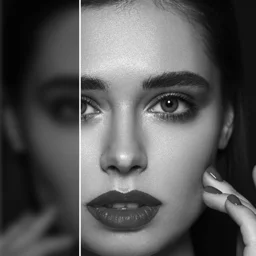
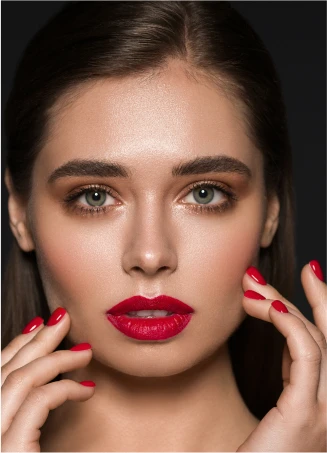
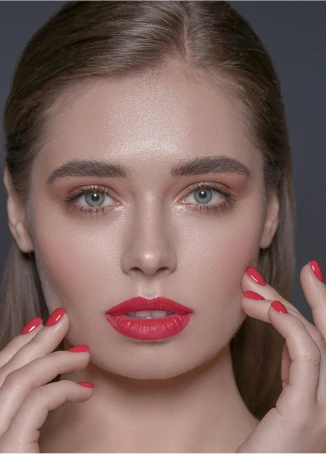
Create a Before & After Video in 3 Steps
No editing experience required. Go from photos to a polished video in under 30 seconds.
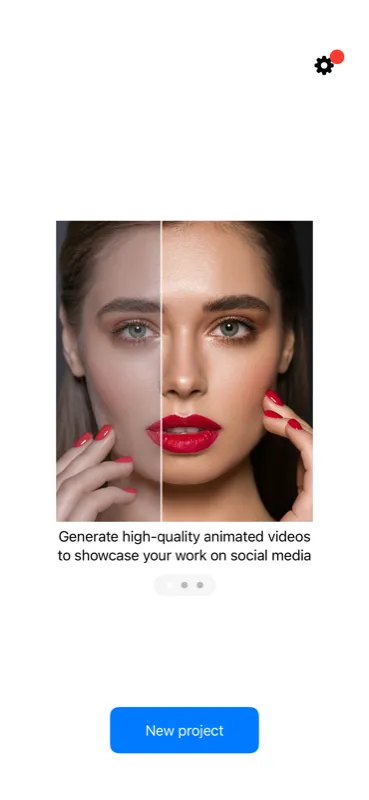
Pick Two Photos
Choose your before and after images from your photo library, albums, or files.
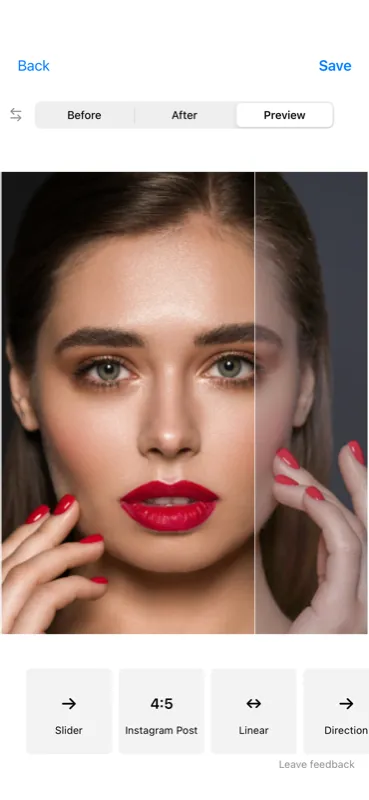
Customize the Animation
Choose slider or crossfade, pick a social media format, adjust speed and direction.
Export & Share
Save a high-quality 60fps video and post it straight to Instagram, TikTok, or anywhere.
See the Before & After Slider in Action
Watch the smooth animated slider sweep between your photos — this is exactly what your exported video looks like.
This is exactly how your exported video looks
Built for Professionals Who Show Results
Whether you transform faces, smiles, spaces, or bodies — show your clients the difference.
Hair Stylists & Beauty Professionals
Stop losing potential clients because your portfolio looks like everyone else's. A before-and-after video shows the real transformation — the color correction, the blending, the precision. Hair coloring, extensions, lash lifts, makeup artistry: one animated slider says more than 10 static photos. Post it as a Reel and watch your DMs fill up with "Can you do this for me?"
Get Before/After FreePhoto Retouchers & Editors
Your retouching skills deserve more than a flat side-by-side. An animated before-and-after slider reveals every detail of your work — skin smoothing, color grading, blemish removal, background editing. Whether you're building a retouching portfolio on Instagram or showing clients what you can do, a 4-second animated comparison gets more saves and shares than any static post. Perfect for freelance retouchers, photo editors, and Photoshop artists.
Get Before/After FreeSkincare Clinics & Estheticians
Acne treatment progress, chemical peels, microneedling results, laser therapy — your clients need to see the improvement to commit. Before-and-after videos make subtle skincare transformations dramatic and unmistakable. Share treatment results on your clinic's Instagram to attract clients searching for real proof that your treatments deliver visible change.
Get Before/After FreeDentists & Medical Professionals
Veneers, whitening, Invisalign, cosmetic surgery — patients want to see real results before they book. A smooth animated comparison builds trust faster than words ever could. Share smile makeovers on your practice's Instagram to attract cosmetic patients who are already looking for proof that you deliver.
Get Before/After FreeFitness Trainers & Coaches
Nothing sells a fitness program like visible transformation. Show your clients' progress with an animated comparison that makes every pound lost and every muscle gained unmistakable. Post weekly or monthly transformation videos to build credibility and attract new clients who want the same results.
Get Before/After FreeHome Renovation, Cleaning & More
Kitchen remodels, bathroom renovations, pressure washing, car detailing, landscaping — any work that transforms a space looks best as an animated before-and-after. The slider reveals the full scope of the change in a way static photos can't match. Whether you're a contractor, cleaning service, or auto detailer, show potential clients exactly what you can do for them.
Get Before/After FreeEverything You Need, Nothing You Don't
Designed to be fast, focused, and effortless. Create professional results in seconds.
Slider & Crossfade Animations
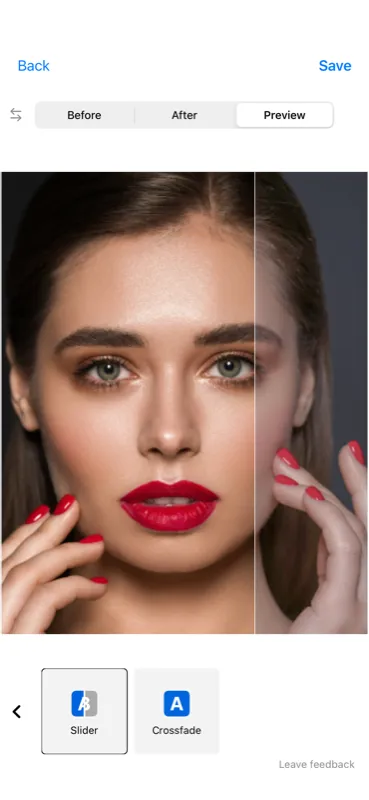
Two beautiful transition styles. Slider sweeps a divider across the image; crossfade smoothly blends between them. Both with customizable speed and easing.
Instagram & TikTok Ready
Export in 1:1 (square post), 4:5 (tall post), or 9:16 (story/reel). Optimized sizes so your video looks sharp on every platform.
60+ Professional Filters
Cosmetology, cinematic, pastel, luxury, mono, food — six curated collections to enhance your photos before exporting.
Custom Labels & Text
Add "Before" and "After" labels with your choice of font, color, size, and position. Fully customizable to match your brand.
High-Resolution 60fps Export
Crystal-clear video quality at 60 frames per second. Your transformation videos look smooth and professional.
Multiple Directions
Horizontal, vertical, and diagonal slider directions. Find the perfect reveal angle for your specific transformation.
0 ★
App Store Rating
0
Languages Supported
0
Photos to Video
Why Before & After Content Outperforms Everything
The psychology behind transformation content and why it drives more bookings than any other format.
Our Brains Crave Contrast
Humans are wired to detect change. A before-and-after comparison triggers an instant emotional reaction — surprise, admiration, desire. Static photos don't create this moment. An animated reveal does, making viewers stop scrolling and pay attention.
Higher Engagement, More Bookings
Transformation content consistently gets 2–3x more engagement than standard posts. For service professionals, this translates directly into DMs, calls, and bookings. Show your results, and the right clients will find you.
Visual Proof Builds Trust
When a potential client sees a real before-and-after of your work, they don't need to take your word for it. Visual proof eliminates doubt and makes the decision to book much easier — especially for high-consideration services like cosmetic dentistry or home renovation.
Video Wins on Every Platform
Instagram, TikTok, and Facebook all prioritize video content in their algorithms. A 4-to-8-second before-and-after loop is the perfect format: short enough to auto-play, compelling enough to rewatch, and shareable enough to go viral.
Frequently Asked Questions
Download the Before/After app from the App Store, select your two photos (before and after), choose the Instagram Post (1:1 or 4:5) or Instagram Story (9:16) format, customize the slider or crossfade animation, and hit export. The video is ready to post directly to Instagram Reels or Stories — the whole process takes under 30 seconds.
Before/After: Photo Compare is a top-rated iOS app specifically designed for creating before-and-after comparison videos. Unlike generic photo editors, it's purpose-built for transformation content with slider and crossfade animations, social media-optimized formats, professional filters, and high-resolution 60fps export.
In the Before/After app, choose the 9:16 (Instagram Story) format — it's the same vertical aspect ratio TikTok uses. Select your before and after photos, pick the slider or crossfade animation, and export. The app creates a smooth animated transition that's perfect for transformation reveals on TikTok.
Yes, the app is free to download and use. You can create before-and-after videos at no cost. A Premium subscription unlocks additional features: high-resolution 60fps video export, watermark removal, and unlimited projects.
Absolutely. The app is used by thousands of beauty professionals — hair stylists, estheticians, makeup artists, skincare clinics, dentists, and fitness trainers. The animated slider format is more engaging than static side-by-side photos and helps attract new clients on social media. Pick your photos, export, and post.
Select your original and retouched photos, choose the slider animation, and export. The animated comparison reveals every detail of your editing — skin smoothing, color grading, background removal — in a way that static before/after collages can't match. Great for building a retouching portfolio on Instagram or showing clients your editing capabilities.
Take consistent before-and-after photos of the treatment area (same lighting, same angle), then use the slider animation to reveal the improvement. The smooth transition makes even subtle changes like reduced redness, smaller pores, or clearer skin dramatically visible. Skincare clinics and estheticians use this format daily to attract new patients on social media.
Two main animation types: Slider (a moving divider reveals the transformation — horizontal, vertical, or diagonal) and Crossfade (a smooth fade between the two images). Both include customizable speed and easing styles (linear or teaser) to match the drama of your transformation.
The app supports three formats optimized for social media: 1:1 (square Instagram post), 4:5 (tall Instagram post — takes up more screen space), and 9:16 (vertical Stories and Reels for Instagram, TikTok, and YouTube Shorts). All export at 1080px width for sharp quality.
Tips & Guides for Professionals
Learn how to use before-and-after content to grow your business and attract more clients.
Social Media Content Ideas for Hair Salons: 30+ Posts That Drive Bookings
Struggling with what to post? Here are 30+ content ideas specifically for hair stylists and salon owners that actually bring in new clients.
How to Build a Retouching Portfolio on Instagram That Attracts Clients
Flat before-and-after collages don't do your editing justice. Learn how animated comparisons showcase skin retouching, color grading, and photo editing work in a scroll-stopping format.
Before & After Content for Skincare Clinics: The Complete Guide
How estheticians and skincare professionals use animated before-and-after videos to show treatment results, build trust with potential patients, and grow on Instagram.
Coming soon — subscribe for updates